 Getting Started
 For Developers
 Compatible Plugin & Themes
Using the special features of the plugin, you can perform all the required actions to manage the jobs and applications.
Manage Job Posts:
- Navigate to Job Listings > All Jobs.
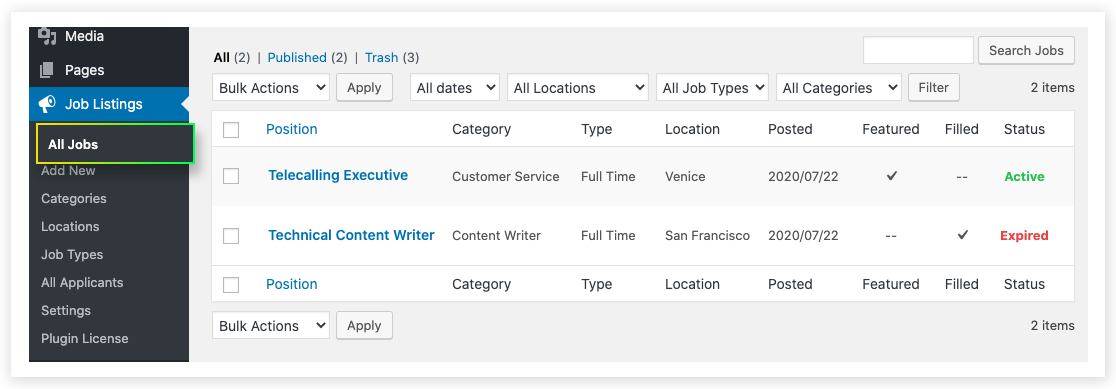
- The admin can view and manage all the job posts from here. The job post and details related to the job will be defined in each row.
- So that you can identify the current job status and know more details of the job like job category, job type, job location, a job posted date, etc.
- Besides that, each job post will be having 4 individual settings.
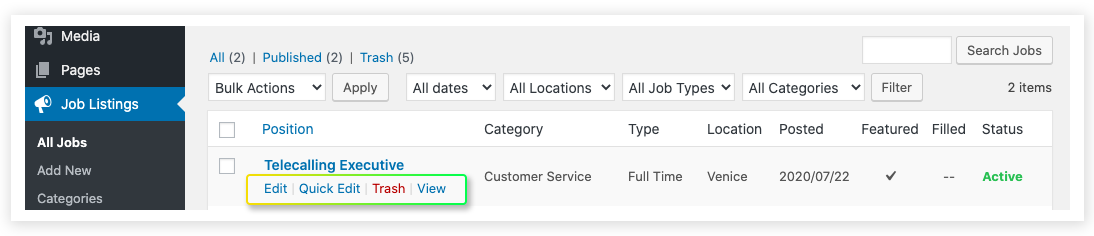
- Edit: To edit all the fields related to that particular job post.
- Quick Edit: To edit some of the basic details like title, slug, category, and so on.
- Trash: To move the particular job post to trash.
- View: To get the preview of the job post.
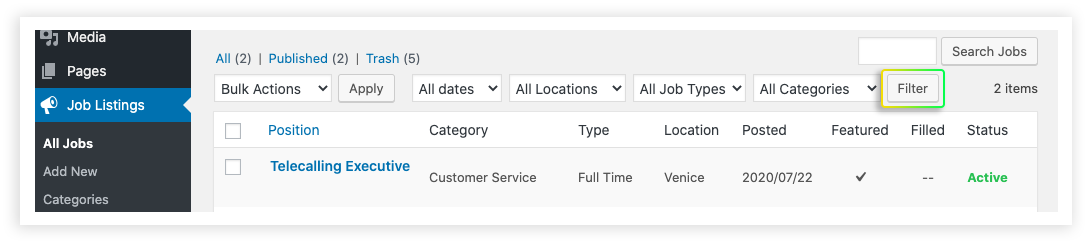
- Along with the search box, it also includes the option to filter the jobs based on the posted date, location, category, etc. This feature helps the admin to find out a specific job post from the list of jobs.
- Using these features you can manage a number of jobs efficiently.
Manage the Applicants:
Let it be any number of applicants. You can easily manage them using the Job Manager & Career plugin.
Navigate to Job Listings > All Applicants.
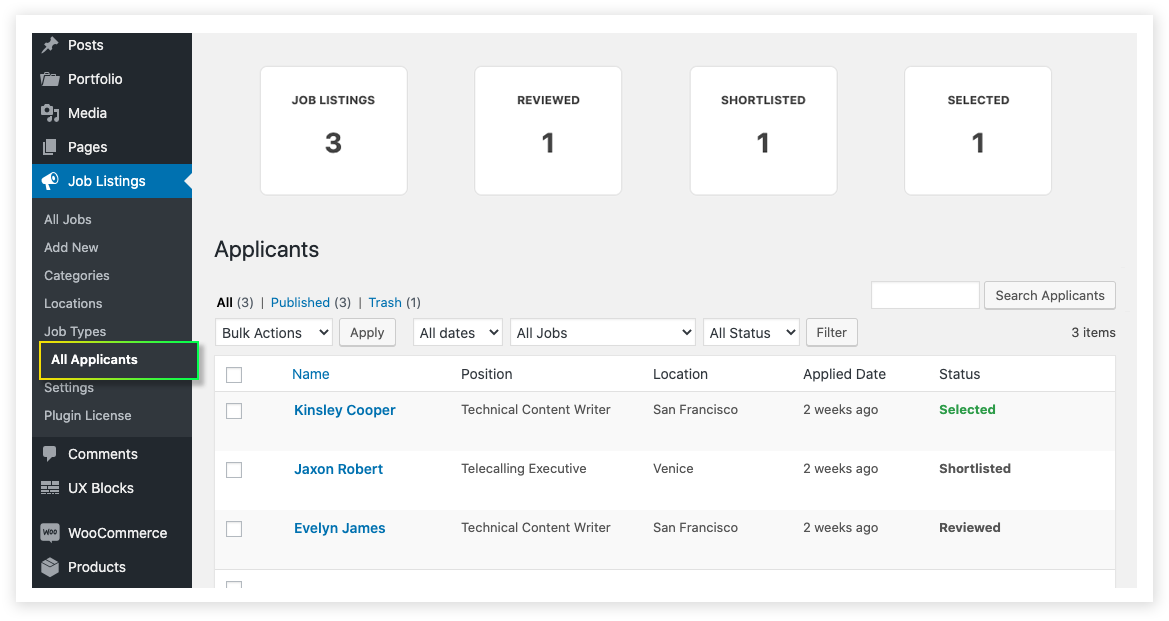
- The plugin allows you to shortlist the applied candidates and manages the resumes according to that. Like the job post, applicants can also be filtered based on the current status and job post.
- Applicant name, position, location, applied date, and status of each individual can be analyzed with a basic view.
- By categorizing the resumes, you can easily find the best applicant among others.
- At the top of the All Applicant page, you can see the number of listed jobs, reviewed applicants, shortlisted candidates, and selected candidates. This helps the admin to get a basic idea about the applicants.
- A navigation enhancement is added, allowing users to effortlessly navigate through job applications using ‘Next’ and ‘Previous’ buttons on the applicant details page.
